About USB Cables
USB cables, short for Universal Serial Bus, are widely used
to support USB connections and charge various devices, including smartphones.
They consist of power and data wires that facilitate the transfer of
information and power between devices. Let's delve deeper into the different
types of USB cables:
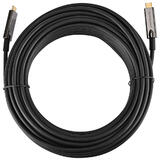
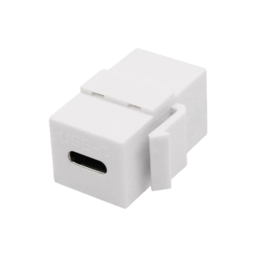
USB-C Cables: USB-C cables are highly versatile and feature
the latest USB connector type. With their reversible design, you can insert
them into a device's USB-C port in any orientation, making them user-friendly.
These cables support high-speed data transfer and can reach speeds of up to 10
Gbps or even 20 Gbps in the case of USB 3.1 Gen 2 or USB 3.2. Additionally,
USB-C cables are capable of delivering higher power output, allowing them to
charge smartphones and other devices. USB-C connectors have become increasingly
common across a wide range of devices.
USB 3.0 Cables: USB 3.0, also known as USB 3.1 Gen 1, offers
faster data transfer speeds compared to its predecessor, USB 2.0. USB 3.0
cables are backward compatible with older USB 2.0 devices, enabling them to
function seamlessly with older devices. The data transfer rate of USB 3.0 can
reach up to 5 Gbps, which is approximately ten times faster than USB 2.0. These
cables are commonly used for high-speed data transfer between external hard
drives, cameras, and other devices.
USB 2.0 Cables: USB 2.0 is an older USB standard released in
2000. It provides a significant improvement over the original USB 1.1 standard
in terms of transfer speed, with rates of up to 480 Mbps (megabits per second).
One of the key advantages of USB 2.0 is its backward compatibility with USB 1.1
devices. This means that you can use a USB 2.0 cable with an older USB 1.1
device, and it will work without any issues.
It's worth noting that USB standards are developed and
maintained by the USB Implementers Forum (USB-IF), an organization responsible
for overseeing the USB standard and ensuring compatibility and interoperability
between devices.
USB cables also support various features and technologies,
such as USB Power Delivery (USB PD) and Alternate Mode. USB PD allows for
higher power delivery, enabling faster charging of compatible devices.
Alternate Mode enables the use of USB-C cables for other functionalities, such
as video output or audio transmission, alongside their standard data and power
transfer capabilities.
Overall, USB cables come in different types and versions,
each offering varying transfer speeds and capabilities. The USB-C connector has
gained prominence due to its versatility, high-speed data transfer, and ability
to deliver power efficiently. Whether you have an older device with USB 2.0
support or a modern device with USB 3.0 or USB-C, USB cables provide a
universal solution for connecting and charging devices.